Data Protection & Cryptography using AWS KMS and Encryption CLI
📌 Project Description
Data security is paramount in cloud architecture. This project demonstrates best practices for protecting sensitive information (Data-at-Rest) using centralized cryptographic techniques. Through this experiment, I implemented file encryption and decryption processes directly on a server using AWS Key Management Service (KMS) and the AWS Encryption CLI.
The primary objective of this project is to ensure data confidentiality. In the event of a file system breach, the stored data remains as unreadable ciphertext without the explicit authorization keys required to decrypt it.
🛠️ Tech Stack & AWS Services
- Security & Cryptography: AWS Key Management Service (KMS), AWS Encryption SDK / CLI.
- Compute & Management: Amazon EC2, AWS Systems Manager (Session Manager), AWS IAM.
- Concepts: Symmetric Encryption, Ciphertext vs Plaintext, Least Privilege Access, Data-at-Rest Protection.
🏢 Business Scenario
An organization stores sensitive data within a File Server running on Amazon EC2. To meet rigorous industry security compliance standards (such as FIPS 140-2), security administrators are required to ensure that all text files containing confidential data are never stored in plaintext. The implemented solution involves generating a centrally managed symmetric encryption key and leveraging command-line tools to encrypt files locally on the server. This ensures that only entities with the exact IAM permissions can decrypt and access the data.
🚀 Implementation Steps
Phase 1: Cryptographic Key Generation (AWS KMS)
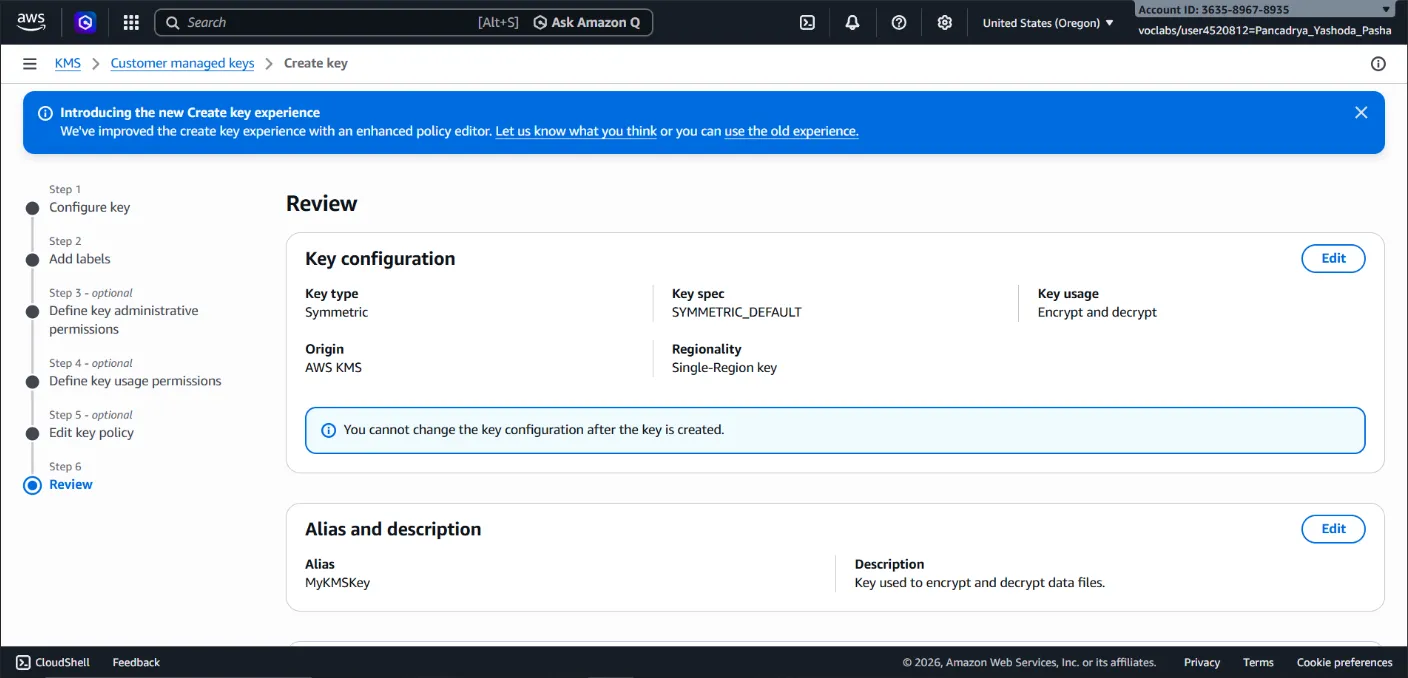
- Provisioned a Symmetric Encryption Key within AWS KMS, utilizing the same key for both encryption and decryption to maximize speed and operational efficiency.
- Configured the key alias (
MyKMSKey) and strictly attached administrative and usage permissions to a specific IAM Role, strictly adhering to the principle of least privilege.
Phase 2: File Server Configuration & AWS Encryption CLI
- Accessed the Amazon EC2 instance (File Server) securely without relying on external SSH keys or a bastion host, utilizing AWS Systems Manager (Session Manager) instead.
- Configured AWS CLI credentials locally within the server environment to establish secure communication with the AWS KMS service.
- Installed the Python-based AWS Encryption CLI (
aws-encryption-sdk-cli) to enable direct cryptographic operations from the terminal.
Phase 3: Encryption Operations (Plaintext to Ciphertext)
- Created a plaintext document containing mock sensitive data.
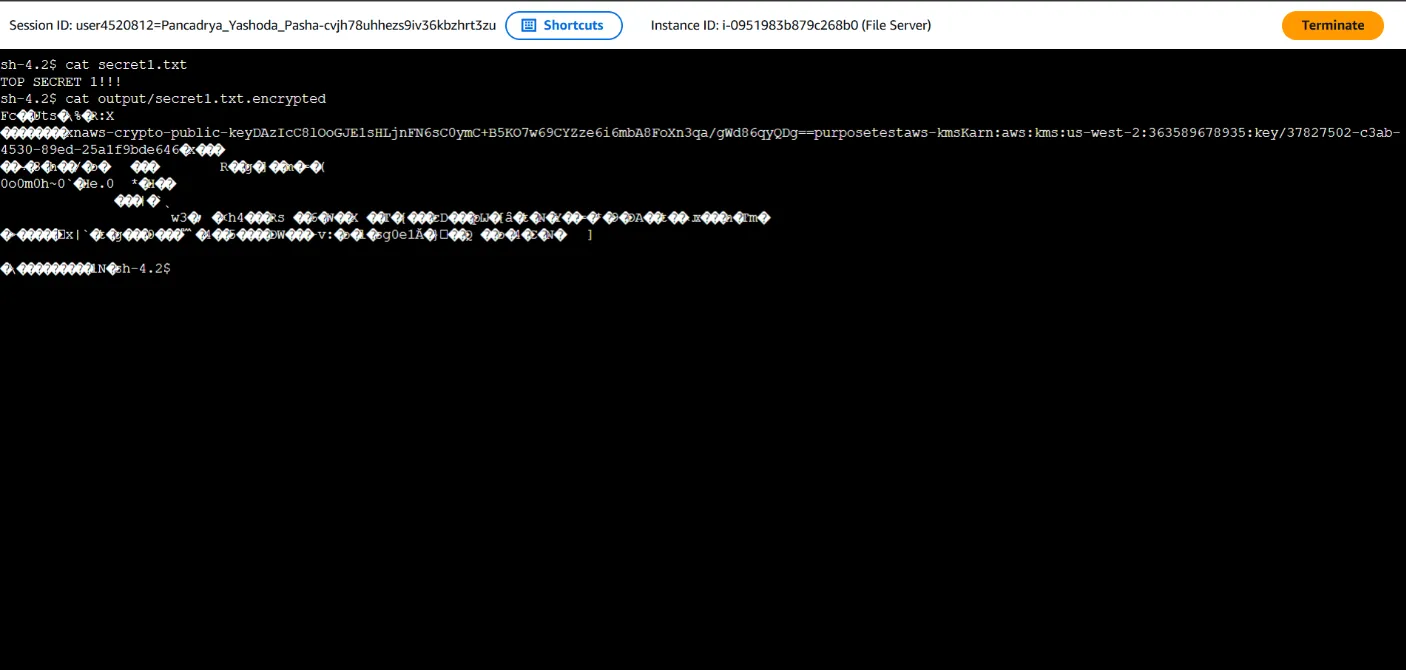
- Executed the encryption command (
aws-encryption-cli --encrypt) referencing the Amazon Resource Name (ARN) of the provisioned KMS Key. - Applied the
--commitment-policy require-encrypt-require-decryptparameter to enforce enhanced security measures during the cryptographic operation. - Validated the output: The original file was successfully transformed into ciphertext (
secret1.txt.encrypted), rendering it completely unreadable to unauthorized users.
Phase 4: Decryption Operations (Ciphertext to Plaintext)
- Demonstrated the data recovery process by executing the
--decryptcommand against the encrypted ciphertext file. - The system securely verified the IAM permissions against AWS KMS before authorizing the decryption process.
- Successfully restored the file back to its readable plaintext format, proving both data integrity and availability.
🎯 Results & Key Takeaways
- Assured Data Security: Successfully converted sensitive data into an impenetrable ciphertext format, neutralizing the threat of data exploitation by unauthorized actors.
- Centralized Key Management: Demonstrated proficiency in managing cryptographic lifecycles using AWS KMS, backed by FIPS 140-2 validated hardware security modules.
- DevSecOps Proficiency: Showcased the ability to operate advanced cryptographic toolsets (AWS Encryption SDK) seamlessly within a Linux command-line environment.