CI/CD Pipeline Automation using AWS CodePipeline & CodeCommit
📌 Project Description
In the modern software development lifecycle, manually uploading files to production servers is an error-prone and inefficient practice. This project demonstrates the implementation of DevOps principles by building a fully automated CI/CD pipeline architecture using native AWS developer tools.
The primary objective of this project is to centralize source code into a secure repository and orchestrate an automated pipeline that seamlessly deploys code changes directly to the production environment (Amazon S3 & CloudFront) with zero downtime.
🛠️ Tech Stack & AWS Services
- Developer Tools: AWS CodeCommit (Private Git Repository), AWS CodePipeline.
- Storage & Content Delivery: Amazon S3 (Static Website Hosting & Artifact Store), Amazon CloudFront.
- Local Environment: Git, AWS CLI, Visual Studio Code (VS Code).
- Concepts: Continuous Integration / Continuous Delivery (CI/CD), Version Control System (VCS), Infrastructure as Code (JSON Pipeline Configuration).
🏢 Business Scenario
A mid-sized business manages a public-facing website that requires frequent content updates. Previously, the team had to manually upload HTML/JS files to Amazon S3 for every change, causing collaboration bottlenecks and a lack of code version visibility. To support team scalability and deployment reliability, a CI/CD pipeline was engineered. This solution empowers multiple developers to collaborate on a single codebase securely, ensuring that every commit pushed to the main branch is automatically deployed to production.
🚀 Implementation Steps
Phase 1: Version Control Setup (Source)
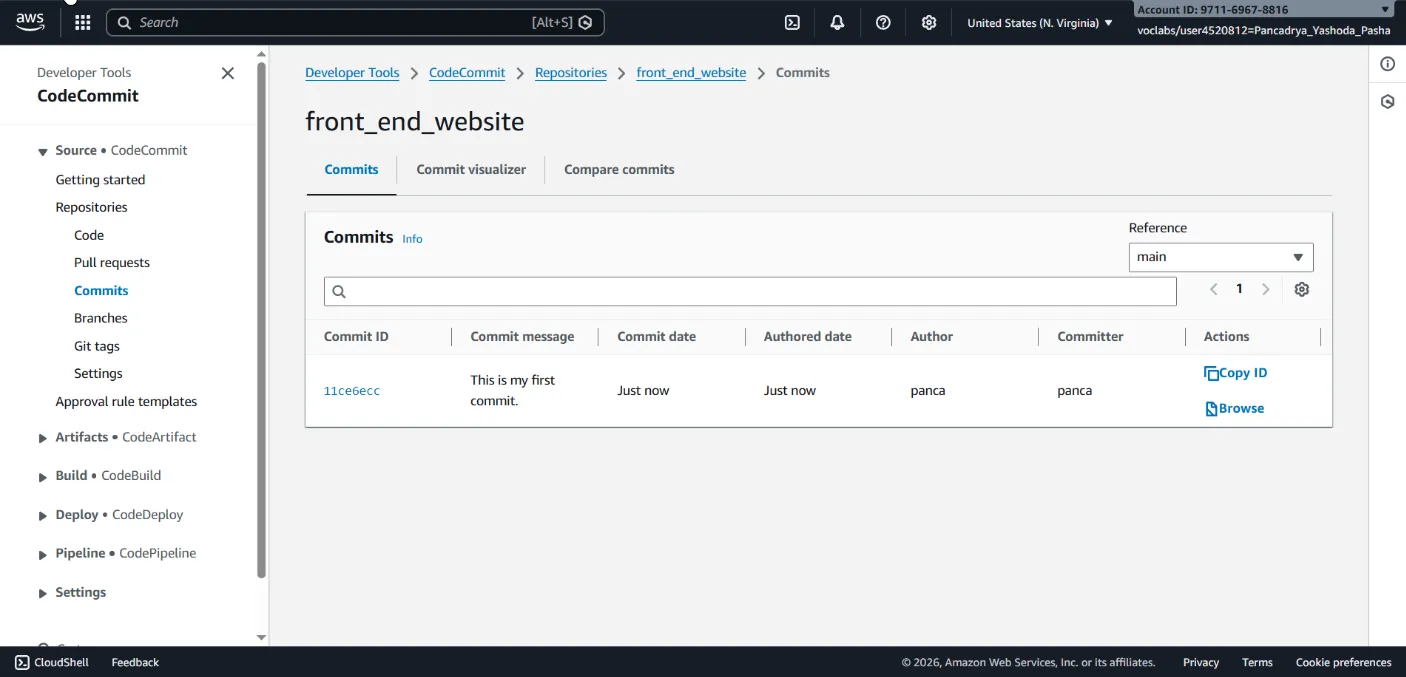
- Provisioned a highly secure, private Git repository using AWS CodeCommit (
front_end_website). - Cloned the repository to the local development environment (VS Code) utilizing the HTTPS (GRC) protocol.
- Executed the initial commit to establish the repository’s foundational directory structure.
Phase 2: CI/CD Pipeline Configuration (Deploy)
- Provisioned the AWS CodePipeline architecture programmatically via the AWS CLI using a declarative JSON configuration (
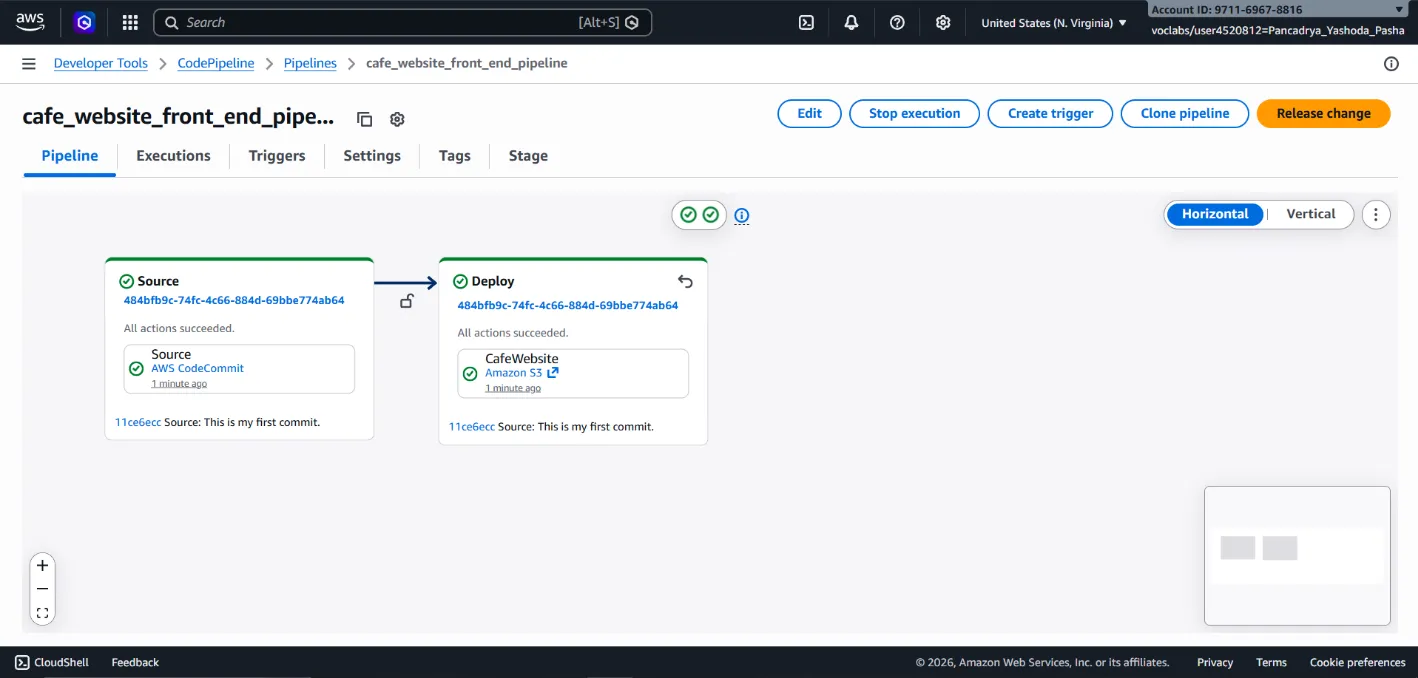
cafe_website_front_end_pipeline.json). - Source Stage: Integrated the pipeline to track changes on the
mainbranch of the CodeCommit repository. - Deploy Stage: Configured Amazon S3 as the deployment target. Output artifacts are automatically extracted and pushed to the production bucket.
- Injected
Cache-Controlmetadata (max-age=14) into the pipeline deployment configuration to ensure seamless integration with Amazon CloudFront edge caching.
Phase 3: Git Integration & Local Workflow
- Established a developer workflow utilizing the VS Code Git integration.
- Migrated the local production website assets into the local repository directory.
- Staged, committed, and pushed the updated codebase to the upstream CodeCommit repository via the terminal.
Phase 4: Automated Deployment Validation
- Monitored the AWS CodePipeline visualizer to confirm that the Git push successfully triggered an automated pipeline execution.
- Verified the live deployment by accessing the Amazon CloudFront distribution domain.
- Utilized browser developer tools to inspect HTTP headers, successfully validating the
Cache-Control: max-age=14implementation deployed by the pipeline.
🎯 Results & Key Takeaways
- Full Automation (Zero-Touch Deployment): Successfully eliminated manual deployment processes. A simple
git pushcommand now updates the production website in seconds. - Centralized Collaboration (Version Control): Enabled robust revision tracking, code auditing, and instant rollback capabilities by migrating source control to AWS CodeCommit.
- Optimized Content Delivery: Automated caching metadata injection within the pipeline ensures that the S3 storage and CloudFront CDN integration performs optimally without manual intervention.